Setting up Vaultwarden on your desktop
1. Download the desktop app for your platform:


The steps below are the similar for all desktop platforms
2. Double-click on the downloaded app and follow the instructions to install it
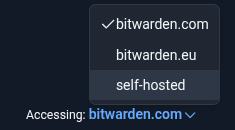
3. Open Bitwarden app and on the bottom click Accessing: and select self-hosted
4. Input your organization Vaultwarden instance URL (e.x passwords.example.org)
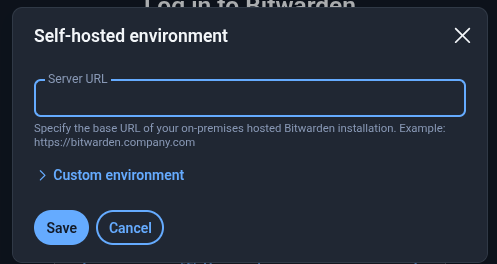
5. Click Save
6. Enter your account details and click continue