
How to disable a Vaultwarden account
1 - Go to Vaultwarden admin panel, your-instance-ur/admin/ and access using the admin token which we have shared with you.
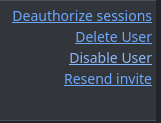
2 - Go to the Users tab on the top panel. Locate the user and then Deauthorize sessions and Disable account.
That's it!