
How to setup 2FA on Keycloak
Go to your Keycloak Console and Log in with your credentials.
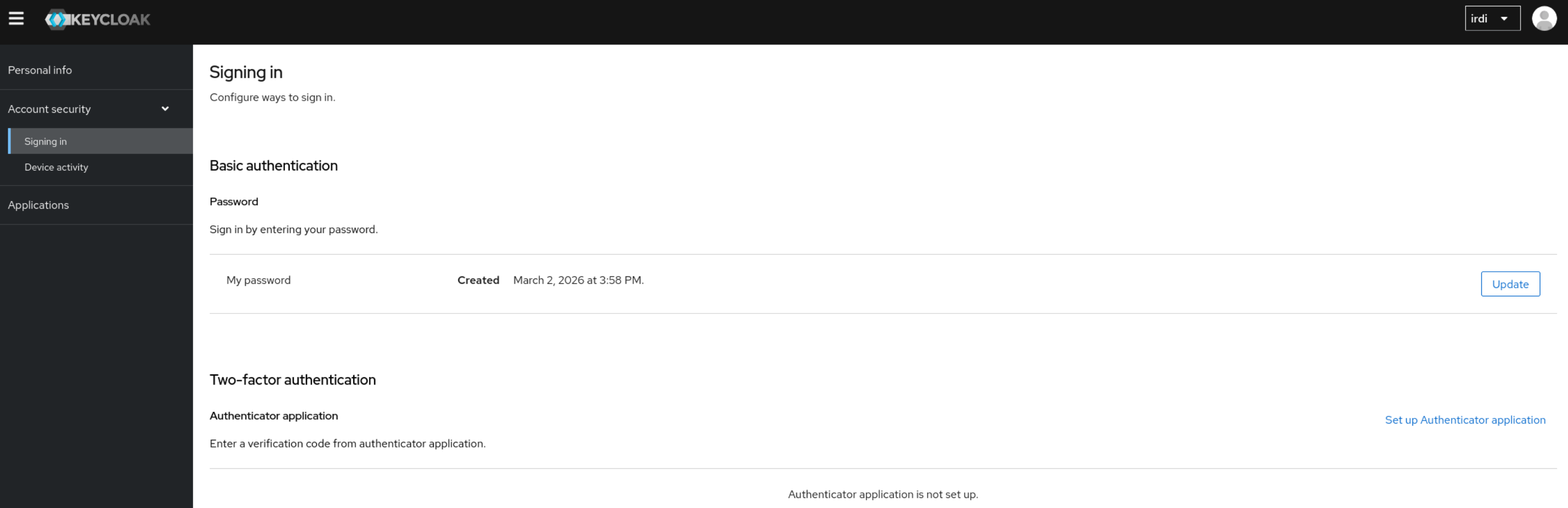
Once logged in, go under Account Security → Signing in.
Under Two-Factor authentication click on Set up Authenticator application and follow the steps.
In case you do not know your Keycloak Login URL, please reach out to our Support Team.
No comments to display
No comments to display